



By using our website, you agree to the use of cookies as described in our Cookie Policy
Security System Tips & Info in Fort Worth
Can Your Fort Worth Office Building Handle Keyless Entry Systems?
Most Fort Worth property managers think keyless entry is just about convenience. Swipe a card, skip the key ring. But your building infrastructure sees more than that — and if you don't, you're asking for problems. Electronic access may look simple on the surface, but it leaves a footprint on your electrical grid, your network backbone, and your compliance checklist. Especially if you're retrofitting older construction or managing multi-tenant spaces.
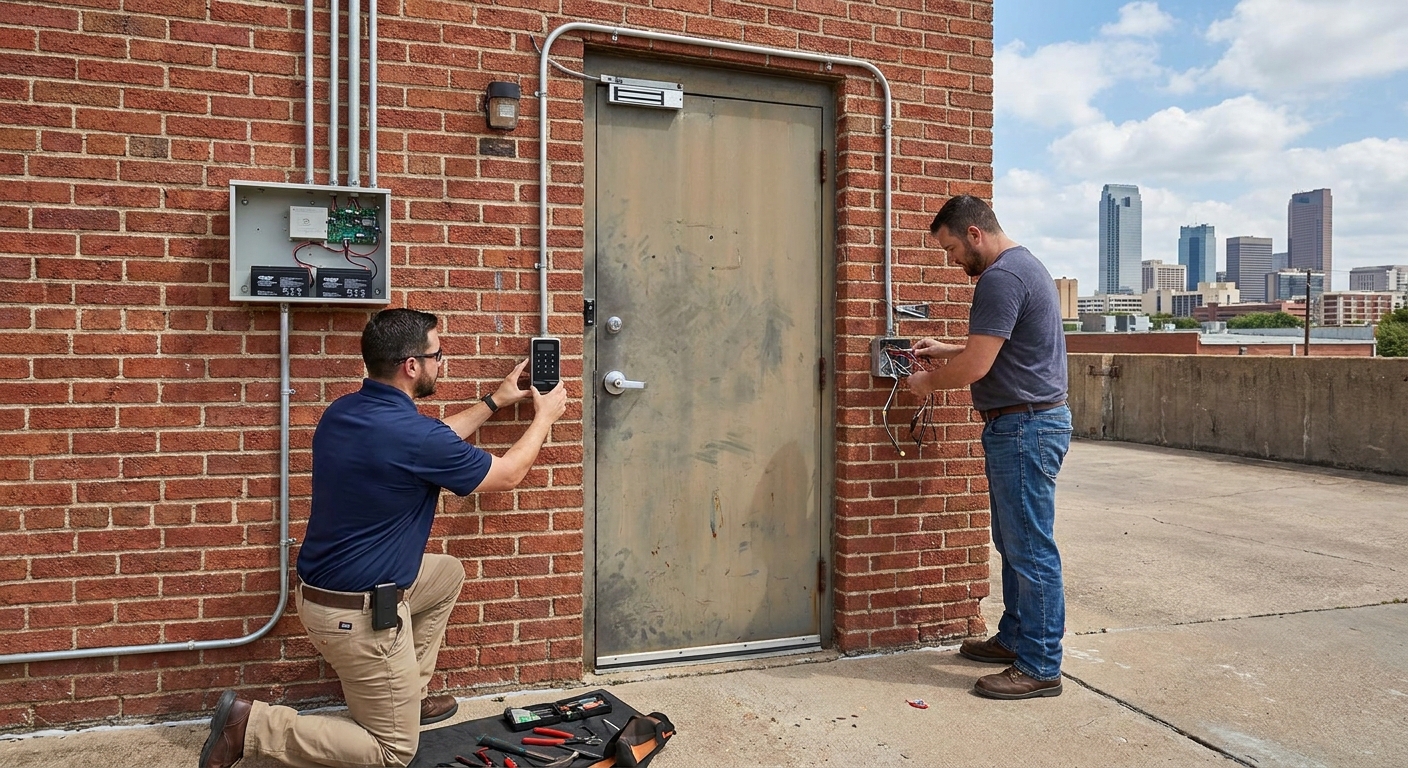
So here's the reality. If you're upgrading security to meet modern expectations, that's smart. Just don't treat those systems like plug-and-play gadgets. Every access point should have proper power backup. Every installation needs code compliance. And every hardware decision should be grounded in how the building was built — not just how slick the demo looked.
Your Building Wasn't Wired for This
Nine times out of ten, older Fort Worth office properties weren't designed with electronic locks in mind. The wiring is minimal, the electrical panels are maxed out, and nobody thought about network drops at every doorway. That's not a dealbreaker — it just means you can't skip the infrastructure audit.
And if your building still has original door frames from the '80s? Different challenge. Retrofitting electronic hardware onto outdated frames often requires reinforcement, new strike plates, or even complete door replacement. We've seen property teams assume compatibility — it wasn't there. And when the hardware fails inspection, you're back to square one with a bigger invoice.
The Power Requirements You Can't Ignore
You can't run keyless entry without consistent power — and most systems demand more than a standard lock ever did. The readers, controllers, and magnetic strikes all need reliable current. If your building experiences brownouts or power dips, you're looking at access failures during business hours.
Here's where the infrastructure matters most:
- Electromagnetic locks require uninterrupted power and fail-safe configurations to meet fire code
- Battery backup units need placement at every controller, not just the main panel
- Networked systems pull constant low voltage and require conduit runs to avoid interference
- Wireless options still need power at the lock mechanism and regular battery swaps
- Older buildings may need panel upgrades or dedicated circuits to handle the additional load
Network Connectivity Isn't Optional Anymore
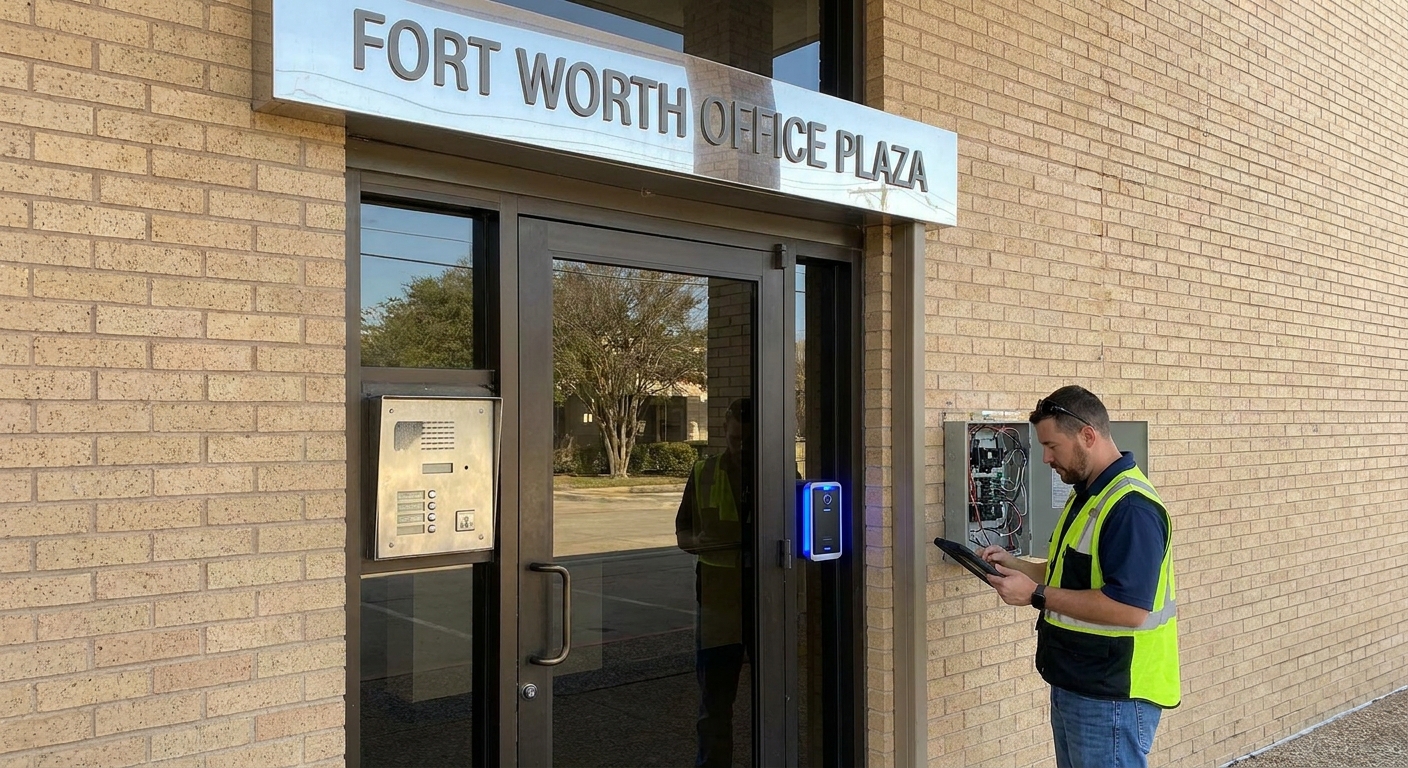
Want remote management? Real-time access logs? Integration with your security platform? You'll need network infrastructure at every controlled entry point. That means Ethernet runs, Wi-Fi mesh coverage, or cellular backup — depending on your system architecture.
The challenge is that most Fort Worth office buildings weren't designed with network drops at exterior doors, loading docks, or garage entries. Running cable through finished spaces is expensive. Relying solely on wireless creates vulnerabilities if coverage drops. And if your building has thick concrete or metal framing, signal strength becomes a constant headache. Professional structured cabling fiber installation ensures reliable connectivity throughout your facility.
When Fire Code Becomes Your Roadblock
Electronic access is great until an emergency happens. Then the question is simple: Do your locks release when the fire alarm trips? Fort Worth fire code doesn't care how advanced your system is — it cares whether people can get out safely.
Most jurisdictions require fail-safe configurations on egress doors, meaning locks automatically release during power loss or alarm activation. If your keyless system doesn't integrate with your fire panel, you're not compliant. And if the inspector catches that during a walkthrough, you're scrambling to retrofit — or facing fines.
The Hardware That Actually Fits Your Doors
Not every keyless solution works with every door type. Glass storefronts need different mounting hardware than solid wood cores. Aluminum frames require specific strike plates. And if your doors are already fitted with panic bars or ADA-compliant hardware, the compatibility matrix gets even narrower.
Here's what your door assessment should cover:
- Door material and thickness — some electronic locks won't fit standard commercial doors
- Frame reinforcement — older frames may not support magnetic lock pull force
- Existing hardware clearance — panic bars and closer arms can block reader placement
- Weather exposure — exterior doors need weatherproof enclosures and corrosion-resistant components
- ADA compliance — touchless or low-force activation may be required depending on your tenant mix
Where Most Property Managers Get Stuck
Assuming Wireless Means No Installation Work
Wireless keyless systems still need power. They still need mounting. And they still need integration with your property management software if you want centralized control. Skipping the site survey because "it's wireless" is how projects blow past budget and timeline.
Forgetting About Ongoing Maintenance
Don't wait until a lock stops working to realize nobody's been checking battery levels or firmware updates. If you skip routine system checks, you're gambling with security gaps. Access logs don't mean much if half your readers went offline three weeks ago and nobody noticed. Regular monitoring through surveillance systems can help detect access control issues before they become problems.
Ignoring Tenant Turnover Complexity
If you manage multi-tenant office space, every lease change means credential updates. New tenants need access. Old tenants need revocation. And if your system doesn't allow granular, time-based permissions, you're either over-provisioning access or manually babysitting every door schedule.
Frequently Asked Questions
Can I install keyless entry myself?
The hardware? Maybe. The integration, code compliance, and fire panel tie-in? That's licensed work. Trying to DIY a commercial access control system usually results in failed inspections, insurance headaches, or worse — liability if someone gets locked in during an emergency.
How much does a full building retrofit cost?
It depends on door count, existing infrastructure, and system complexity. A small office with five doors and decent wiring might run $10K to $20K. A multi-floor property with outdated electrical and no network backbone? You're looking at six figures. Get a real site assessment before budgeting.
What happens if the internet goes down?
Depends on your system. Some controllers cache credentials locally and keep working offline. Others lose remote management but maintain basic access. And some cheaper cloud-only systems? They lock you out completely. Make sure you understand offline functionality before you sign a contract.
When to Call In a Pro
If your building has mixed door types, outdated electrical, or strict tenant security requirements, you're past the point where off-the-shelf solutions work. A qualified integrator helps you map infrastructure gaps, select compatible hardware, and ensure every component meets local code. Professional locksmith services also ensure proper hardware installation and compatibility checks.
Here's what a professional assessment covers:
- Complete electrical load analysis and panel capacity review
- Door-by-door hardware compatibility and mounting feasibility
- Network infrastructure requirements and coverage testing
- Fire code integration and fail-safe configuration
- Access control software setup and ongoing support planning
It's not just about getting badges in hands this quarter. It's about building a system that works reliably, scales with your property, and doesn't create compliance issues down the line. Exploring comprehensive doors door hardware options ensures your access control system integrates seamlessly with your building's existing infrastructure.
Security Upgrades Need Solid Foundations
Choosing keyless entry isn't the complicated part. Making sure your Fort Worth office building can actually support it — that's where properties get caught unprepared. There's no shortcut when the infrastructure isn't there. But there's also no reason to settle for outdated access control when the right planning makes modern security possible. Your building either has the bones to handle it, or it needs work first. Either way, skipping the assessment guarantees problems later.
Let's Secure Your Office the Right Way
Upgrading to keyless entry should give you peace of mind, not new headaches. We know what it takes to make modern access control work in Fort Worth office buildings, from the first site walk to the final inspection. Let’s talk about your property’s unique needs and map out a solution that keeps your tenants safe and your building compliant. Call us at 888-477-5019 or get a free quote to get started with a team that understands every detail of commercial security.
‹ Back
Recent Posts
-

Choosing Security Cameras for Your Fort Worth Business
October 20, 2026
-
Signs Your Fort Worth Business Burglar Alarm Needs an Upgrade
October 6, 2026
-

Access Control Systems in Fort Worth for Managing Employee Entry
September 22, 2026
-

-